
Download YourPoints – Free Android Nutrition Tracker, Food Points Calculator, Calorie & Macro Tracker
Overview
YourPoints is a free Android application developed by globaloperate, designed to assist users in tracking and managing their dietary intake through a structured point-based system. The app is tailored for individuals who struggle with remembering or calculating the nutritional impact of the foods they consume, particularly those managing weight, fitness goals, or dietary restrictions. It enables users to calculate food points based on nutritional data per 100 grams or milliliters, simplifying dietary planning for daily meals.
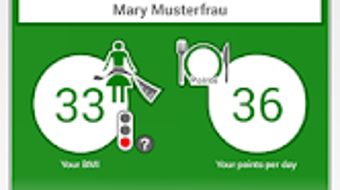
The software supports the addition and removal of custom foods, offering flexibility for personal dietary habits. It includes a traffic light status system to provide a visual indication of nutritional balance, potentially aiding users in assessing their body mass index (BMI) trends. With built-in tools to monitor daily, weekly, and monthly progress, the app supports long-term health tracking.
A calendar feature helps organize meals and physical activities, while reminder functions assist in maintaining consistent eating and hydration routines. The app also offers tools to estimate ideal body weight, daily calorie needs, and macronutrient and micronutrient intake, including protein, carbohydrates, fats, fiber, sugar, sodium, potassium, and various vitamins and minerals. The developer did not provide additional details about the app’s background or target audience beyond its core functionality.
Key Features & Capabilities
- Point-Based Food Tracking: Calculates food points using nutritional data per 100g/ml, enabling users to track meals based on a predefined scoring system.
- Custom Food Management: Allows users to add, edit, or delete personalized food entries to reflect unique dietary preferences or regional items.
- Traffic Light Status Indicator: Offers a visual feedback system to assess nutritional quality, potentially linked to BMI or dietary balance.
- Progress Tracking: Provides daily, weekly, and monthly summaries of food intake and activity, supporting long-term goal monitoring.
- Integrated Calendar: Organizes meals, snacks, and physical activities in a timeline format for better dietary oversight.
- Reminder System: Sends alerts to encourage eating, drinking, or taking breaks, promoting consistent habits.
- Daily Intake Calculations: Estimates ideal body weight, daily calorie needs, and intake of key nutrients including protein, fats, carbohydrates, fiber, sugar, sodium, potassium, and essential vitamins and minerals.
- Comprehensive Nutrient Analysis: Supports tracking of over 20 nutrients, including vitamin C, vitamin D, calcium, iron, magnesium, zinc, copper, manganese, selenium, chromium, molybdenum, iodine, phosphorus, cholesterol, water, alcohol, and caffeine.
User Interface, Workflow & Performance
The user interface of YourPoints appears to be structured around simplicity and ease of navigation, focusing on core functions such as food entry, progress review, and setting reminders. Navigation is likely intuitive, with key features accessible through clearly labeled menus or icons. The workflow is designed to streamline daily tracking, allowing users to input meals quickly and receive immediate feedback on point values and nutritional content.
The app supports a consistent user experience across different screen sizes, though specific UI details were not provided. Performance observations are based on general software behavior patterns. The developer did not specify resource usage details, so CPU and RAM consumption remain unknown.
Stability and responsiveness are expected to be adequate for a mobile application of this type, assuming standard device conditions. No performance benchmarks or crash reports were made available. The app’s efficiency in handling large data sets or real-time updates was not disclosed.
Compatibility & System Requirements
YourPoints is designed for Android devices, making it accessible to a wide range of smartphone and tablet users. The application is available as a free download, though the exact version number and file size were not specified. The developer did not provide detailed system requirements, including minimum Android version, RAM, or storage needs.
Compatibility information is limited to the platform, with no mention of support for iOS, Windows, or Mac. Installation size and hardware requirements are unknown. The developer did not specify whether the app requires an internet connection for core functions or if all data is stored locally.
Users should verify compatibility with their specific device model and Android version.
Pros and Cons
Pros
- Free to download and use, making it accessible to a broad audience.
- Comprehensive tracking of over 20 nutrients, including vitamins, minerals, and macronutrients.
- Custom food entry allows personalization for unique diets or regional foods.
- Visual traffic light system provides quick nutritional feedback.
- Calendar and reminder features enhance habit formation and consistency.
- Supports long-term progress tracking across daily, weekly, and monthly periods.
- Point-based system simplifies meal planning for users following structured diets.
Cons
- Exact system requirements and file size were not disclosed.
- No information on offline functionality or data sync capabilities.
- Performance and resource usage details were not provided.
- Limited information on developer background or support channels.
- Some nutrient tracking features may duplicate existing entries, potentially causing confusion.
- App may require frequent updates to maintain compatibility with new Android versions.
FAQ Section
Is YourPoints available for iOS devices?
YourPoints is currently designed for Android only. There is no information available about an iOS version.
Can I use YourPoints without an internet connection?
The app’s offline capabilities were not specified. Core features may function without internet, but sync or cloud backup features might require connectivity.
Is YourPoints safe to download and use?
YourPoints is a free Android application developed by globaloperate. As with any app, users should download it from official sources to ensure security. The developer did not provide details about data privacy or security practices.
How often are updates released for YourPoints?
Update frequency was not disclosed. Users should check the app store for the latest version and release notes.
What kind of license does YourPoints have?
The app is described as free, but the specific license type (e.g., open-source, proprietary) was not provided.
Final Thoughts
YourPoints presents a robust, feature-rich solution for individuals seeking to manage their dietary intake through a point-based system. With its extensive nutrient tracking, customizable food entries, and integrated calendar and reminder tools, it caters to users focused on long-term health and wellness. The inclusion of both macro and micronutrient analysis, along with BMI-related feedback, adds depth to its functionality.
While the lack of detailed system requirements, performance data, and official support channels limits transparency, the app remains a compelling choice for Android users interested in comprehensive dietary tracking. Its free availability enhances accessibility, making it suitable for health-conscious individuals, fitness enthusiasts, and those managing specific nutritional goals. For users seeking a structured, all-in-one nutrition tracker, YourPoints delivers significant value.
Download YourPoints now.







